
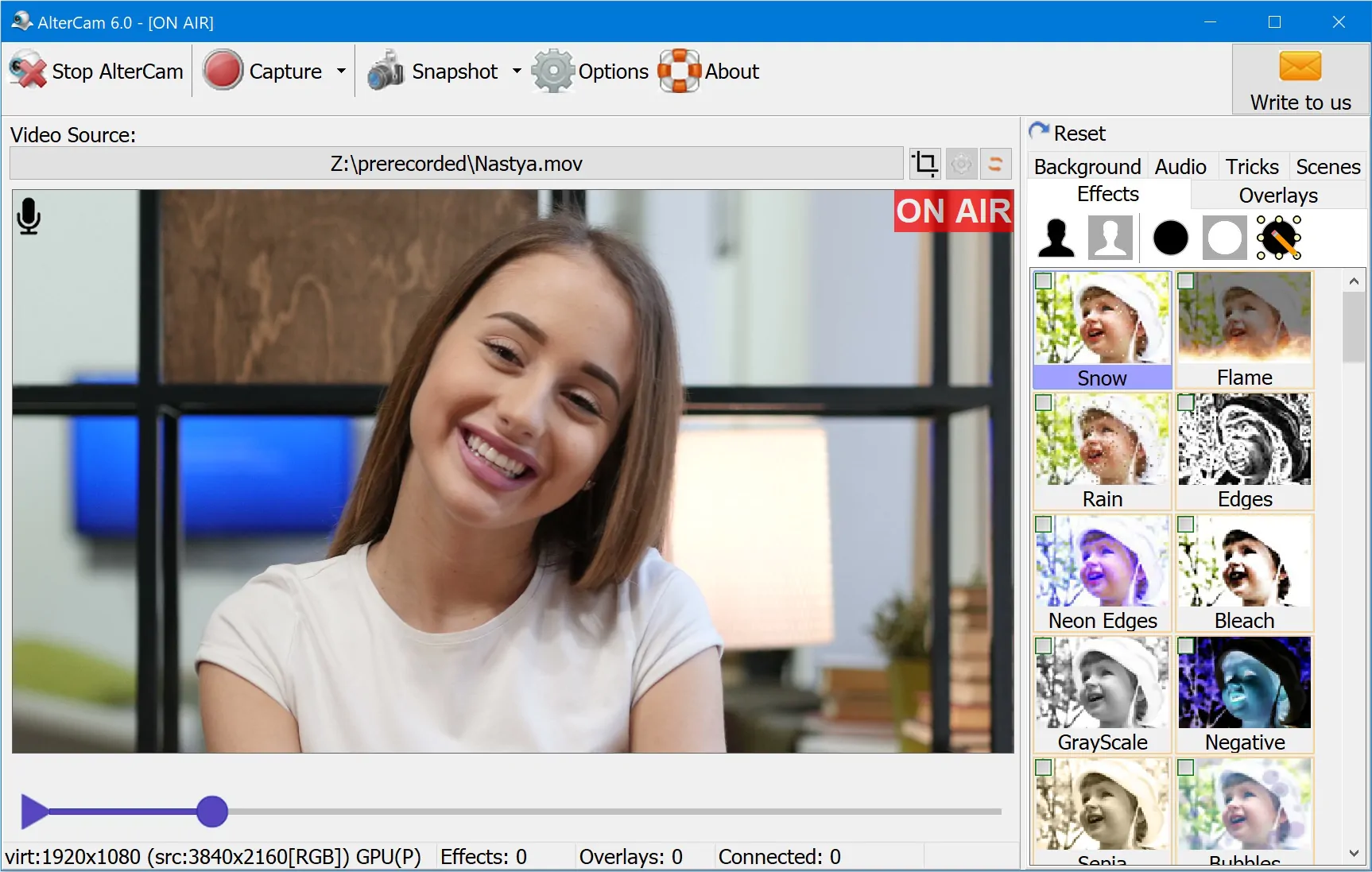
Looking for a ManyCam alternative? AlterCam is virtual webcam software for Windows that covers the same everyday jobs: live effects, overlays, screen capture, chroma key / virtual background, video playback into chats, and real-time voice change. You can download AlterCam for free and try it in Zoom, Discord, OBS, Skype, browsers, and other apps.
Why people search for a ManyCam alternative
ManyCam is a well-known webcam tool, but users often look for alternatives because of price, free-tier limits, watermarks, or features that feel locked behind a paid plan. If you want a lighter ManyCam alternative without giving up the core virtual-camera workflow, AlterCam is built exactly for that.
- Free trial with the features you need for streaming and chats
- Licenses from $29.95/year or $59.95 one-time (see pricing)
- Effects, overlays, desktop capture, recording, and voice change in one app
- GPU acceleration for effects to keep CPU usage lower
- Option to rename the virtual camera if a site or app filters camera names
AlterCam vs ManyCam — quick comparison
| Feature | AlterCam | ManyCam |
|---|---|---|
| Virtual webcam for Windows | Yes | Yes |
| Free version / trial | Yes | Yes (limits vary by plan) |
| Live video effects & overlays | Yes | Yes |
| Chroma key / virtual background | Yes (incl. AI background) | Yes (often paid tiers) |
| Desktop / window capture | Yes | Yes |
| Real-time voice change | Yes | Yes (often limited in free) |
| Hardware acceleration for effects | Yes | Limited / plan-dependent |
| License model | $29.95/year or $59.95 one-time | Subscription or higher lifetime plans |
For a wider side-by-side with SplitCam, WebCam Max, and YouCam, see our full webcam software comparison chart.
Try the ManyCam alternative for free
A common reason to switch is the free ManyCam experience (limits and branding). AlterCam is a practical ManyCam alternative you can try for free: install it, pick the AlterCam camera in your chat or stream app, and use effects right away. The trial has no time limit; it adds a small AlterCam.com logo to the video. Once you buy a license, uncheck "Show logo" in Options to get a clean picture.
What you can do with AlterCam instead of ManyCam
- Replace or blur the background in any app that accepts a webcam
- Add overlays and text on top of your camera feed
- Share the desktop or a window into the virtual camera
- Play a video file as if it were a live camera
- Change your voice in real time
- Record webcam video and upload later
How to switch from ManyCam to AlterCam
- Download and install AlterCam.
- Open AlterCam and confirm the preview looks right (effects, background, overlays).
- In Zoom, Discord, OBS, or your browser call settings, choose AlterCam as the camera.
- Optional: uninstall ManyCam if you no longer need it, to avoid two virtual cameras competing for attention.
FAQ
What is the best free ManyCam alternative?
AlterCam is a strong free ManyCam alternative for Windows if you need a virtual webcam with effects, overlays, capture, and voice tools. Start with the free download, then unlock the full license when you are ready.
Does AlterCam work where ManyCam works?
In most cases yes — any app that lets you pick a webcam can use AlterCam. If the app hides or blocks the camera by name, rename the virtual webcam.
Is AlterCam only an alternative to ManyCam?
No. People also use it instead of SplitCam, WebCam Max, or YouCam. AlterCam is simply a focused ManyCam alternative for users who want a virtual camera without unnecessary complexity.
Ready to try it? Download AlterCam — a free ManyCam alternative for Windows — or browse the full comparison table if you are still deciding.
Questions? Contact us.